
Quick answer
To automate Shopify order fulfillment end to end, connect your store to a fulfillment platform that (1) imports paid orders automatically, (2) pays for them manually or by auto-pay from a balance, (3) routes each order to a supplier and carrier, (4) inspects and packs the item, and (5) writes the tracking number back to Shopify. With DropshipDuo, all five steps run from one dashboard, and you only step in for genuine exceptions such as stock-outs or customs holds.
Key takeaways
- Automate five steps: order import, payment, routing, inspection and tracking write-back.
- Start with manual payment per order, then switch to auto-pay once the flow is proven.
- Keep humans on exceptions, returns and the first order of each new product.
- DropshipDuo runs the whole Shopify fulfillment flow from one dashboard, with a dedicated account manager for exceptions.
Why fulfillment is the last thing most Shopify stores automate
Shopify makes it easy to automate the front of the business: themes, checkout, email flows, ads. The back half — buying the product, getting it checked, packed and shipped, then telling the customer where it is — often still runs on spreadsheets and chat messages with suppliers.
That manual work scales badly. Every extra order means another copy-paste, and every copy-paste is a chance for a wrong address or a missing tracking number. Automating fulfillment is less about speed on a quiet Tuesday and more about staying accurate when orders spike.
The five steps to automate
- Order importConnect your Shopify store so paid orders arrive in your fulfillment dashboard the moment a customer checks out — no CSV exports.
- PaymentChoose manual payment per order while you are testing, then switch on auto-pay from your balance once you trust the flow. Make sure every charge is logged with a fee breakdown.
- Supplier and route selectionLet a matching engine compare supplier price, stock and reliability, and choose a carrier route by destination, cost and transit time.
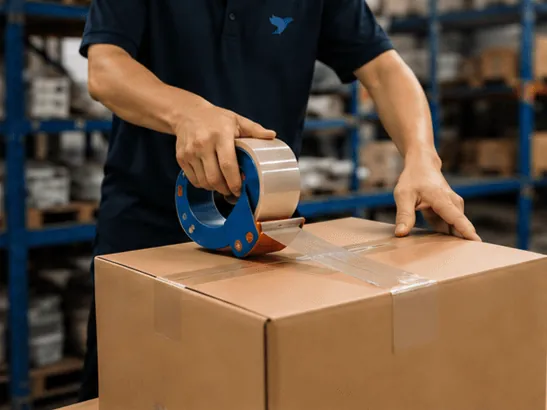
- Inspection and packingEvery item should be checked before it is packed, with branded packaging applied automatically if you use it.
- Tracking write-backOnce the parcel ships, the tracking number should be written back to the Shopify order so your customer is notified without you touching anything.
Manual vs automated fulfillment at a glance
| Step | Manual | Automated |
|---|---|---|
| Getting orders | Export CSV, send to supplier | Orders sync from Shopify in real time |
| Paying | Separate payments per supplier | Manual or auto-pay, every charge itemised |
| Routing | Same supplier and carrier for everything | Supplier and route chosen per order |
| Quality | Depends on the supplier that day | Inspection before packing, every order |
| Tracking | Copy numbers into Shopify by hand | Written back to Shopify automatically |
What should stay human
Full automation does not mean nobody is watching. Three things deserve a person:
- Exceptions. Stock-outs, carrier delays and customs holds need a decision. A good system flags them early rather than letting them become complaints.
- Returns and disputes. Deciding between a refund and a reship is a judgment call that affects your customer relationship.
- New products. Approve the first quote and check the first inspected unit before switching a new product to auto-pay.
Common mistakes when automating fulfillment
- Switching on auto-pay for an untested product. Approve the first quote and check the first inspected unit manually; automate once you know the product and supplier.
- Automating without inventory sync. Fast order flow plus stale stock levels means faster overselling. Connect inventory sync at the same time.
- Ignoring exception alerts. Automation moves the work from doing every order to deciding on the few that go wrong. Someone needs to read the alerts daily.
- Treating every destination the same. The cheapest route to one country may be the slowest to another. Let routing choose per destination.
- Forgetting the customer-facing side. Make sure your Shopify notification emails include tracking links once tracking numbers are written back.
A one-week rollout plan
- Day 1 — ConnectConnect your Shopify store and check that products and recent orders appear correctly.
- Days 2–3 — Quote and testGet quotes for your top products, pay a handful of real orders manually and watch them through inspection and shipping.
- Days 4–5 — Verify trackingConfirm tracking numbers are written back to Shopify and customer notifications go out.
- Days 6–7 — Switch on auto-payEnable auto-pay for proven products, keep manual approval for new ones, and agree how exceptions reach you.
Automating Shopify fulfillment with DropshipDuo
DropshipDuo connects to Shopify (and to WooCommerce, TikTok Shop, Amazon, Temu, Shoplazza and Wix) without technical setup — see the Shopify integration. Once connected:
- Orders sync automatically, and you pay each order manually or with auto-pay from your DropshipDuo balance — every deduction is logged with a clear fee breakdown.
- The smart fulfillment engine matches suppliers and routes and alerts your account manager to stock-outs, delays and customs holds.
- Items are inspected before packing, and tracking numbers sync back to Shopify automatically.
- Real-time inventory sync warns you before you oversell.
- Your dedicated account manager handles the exceptions with you on live chat, WhatsApp or Slack.
Everything DropshipDuo does for Shopify stores — sourcing, POD, branding and warehousing — is on the Shopify dropshipping page. For a broader comparison of partners, read how to choose a dropshipping fulfillment agent.
Frequently asked questions
Can Shopify fulfillment be fully automated?
The routine steps can: order import, payment, supplier routing, inspection, packing, shipping and tracking updates. Exceptions such as stock-outs, customs holds and returns still need a decision, which is why a platform that flags them early matters.
Do I need a developer to connect Shopify to a fulfillment platform?
Not with DropshipDuo. You authorize the connection from the dashboard and orders start syncing, with no technical setup.
Will my customers get tracking numbers automatically?
Yes. When the parcel ships, DropshipDuo writes the tracking number back to the Shopify order, so your customer receives the update without manual work.
Is auto-pay safe?
Auto-pay deducts from your DropshipDuo balance and logs every deduction with a fee breakdown, so you can review each charge. You can switch between manual payment and auto-pay at any time.
About DropshipDuo
DropshipDuo is an automated fulfillment platform for dropshipping and cross-border e-commerce sellers. It connects to stores on Shopify, WooCommerce, TikTok Shop, Amazon, Temu, Shoplazza, Wix and more, then handles sourcing from vetted suppliers, inspection before packing, branded packaging and print-on-demand, global warehousing, shipping with automatic tracking sync, inventory sync, payment agency and after-sales support — all from one login, with a dedicated account manager. It is free to start, with no platform fees and no minimum order quantity.
Run your whole supply chain from one login
Start free with no minimum order quantity — or talk to our team about what you need first.